This amazing chapter on Expressions in Python is designed in a simple and easy-to-understand way, with different examples covering various types of expressions. Even if you are struggling to understand Python expressions, this chapter will help you grasp the concepts in a chutki bajate hi! 😄
The concepts are explained in very simple language with plenty of practical examples, making this chapter comprehensive, beginner-friendly, and easy to follow.
Expressions in Python
- An expression is a combination of constants, variables, and operators. It is evaluated to produce a single value.
- A single value or a standalone variable is also considered an expression. However, a standalone operator is not an expression because it cannot produce any value on its own.
- standalone variable is also considered as an expression.
Types of Expressions in Python:
- Arithmetic Expressions
- String Expressions
- Relational Expressions
- Logical Expressions
- Compound Expressions
Examples of Valid Expressions
(i) 250 → A constant value
(ii) marks → A variable
(iii) marks + 15 → Arithmetic expression
(iv) 8 * 12 → Multiplication expression
(v) 100 / 4 + 6 * (3 + 2) → Complex arithmetic expression
(vi) “Hello” + “World” → String concatenation expression
Arithmetic Expressions
An arithmetic expression is formed using numbers, variables, and arithmetic operators (+, -, *, /, %, //, **). It is used to perform mathematical calculations.
Examples:
- 10 + 5
- a * 4
- (x + y) / 2
Relational Expressions
A relational expression compares two values using relational operators. It always gives the result as True or False.
Examples:
- a > b
- marks >= 40
- x == y
Logical Expressions
A logical expression is formed using logical operators (and, or, not). It is used to combine or reverse conditions.
Examples:
- age >= 18 and age <= 60
- x > 0 or y > 0
- not isHoliday
String Expressions
A string expression is formed using string values and string operators.
- + (Concatenation): Joins two strings.
- * (Replication): Repeats a string a given number of times.
Examples:
- “Good” + ” Morning” → ‘Good Morning’
- “Hi! ” * 3 → ‘Hi! Hi! Hi! ‘
Note: With +, both operands must be strings. With *, one operand must be a string and the other must be an integer.
Compound Expressions
A compound expression is created by combining two or more expressions (such as arithmetic, relational, or logical expressions) into a single expression.
Examples:
- (a + b) > 20
- marks >= 40 and attendance >= 75
- (x * 2) < y or z == 10
Evaluating Expressions
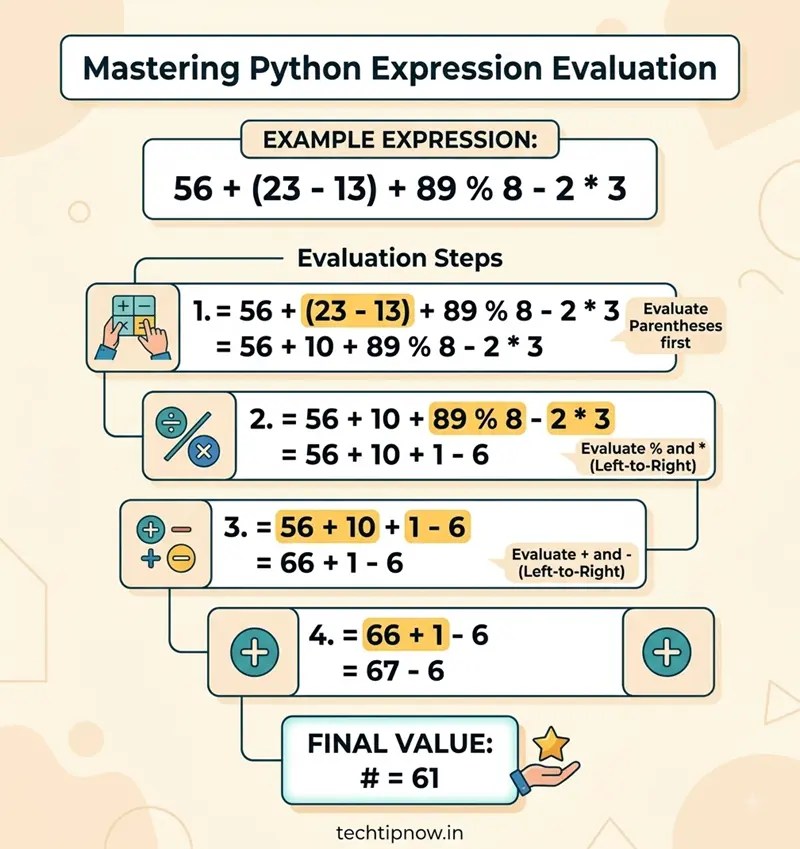
Evaluating Arithmetic Expression
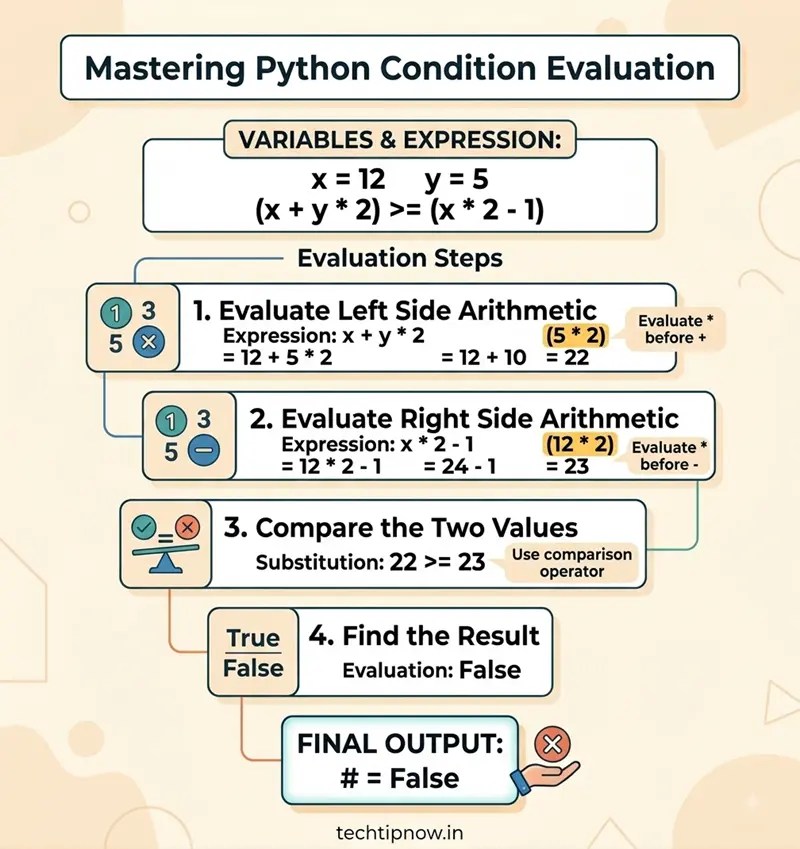
Evaluating Relational Expressions (Comparisons)
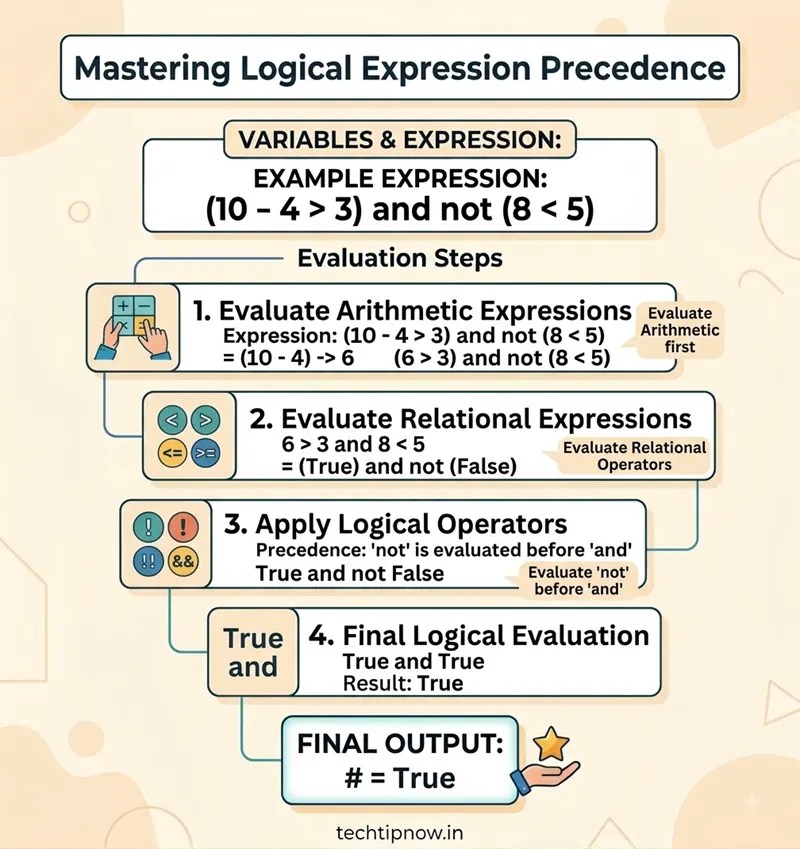
Evaluating Logical Expressions
Evaluating String Expressions
Example 1: String Concatenation
“Data” + ” ” + “Science”
Step 1: Join the first two strings.
“Data “
Step 2: Join the remaining string.
“Data Science”
Output:
‘Data Science’
Example 2: String Replication
“Go! ” * 3
Step 1: Repeat the string 3 times.
“Go! Go! Go! “
Output:
‘Go! Go! Go! ‘